This article describes the issue where the Beyond Identity Authenticator is not displaying your passkey or displays an error when trying to import a passkey, but is not displayed. Please read carefully, as there are multiple problems this solution can fix.
This article applies to the following:
macOS operating systems
Versions 2.31.0 or greater of the Beyond Identity authenticator
Scenario
When I start the Beyond Identity Authenticator it does not display my passkey/profile.
When I attempt to register or migrate from another device the Beyond Identity Authenticator displays the following message “You may already have this passkey imported on this device”.
The error report states that the certificate could not be found in my keychain
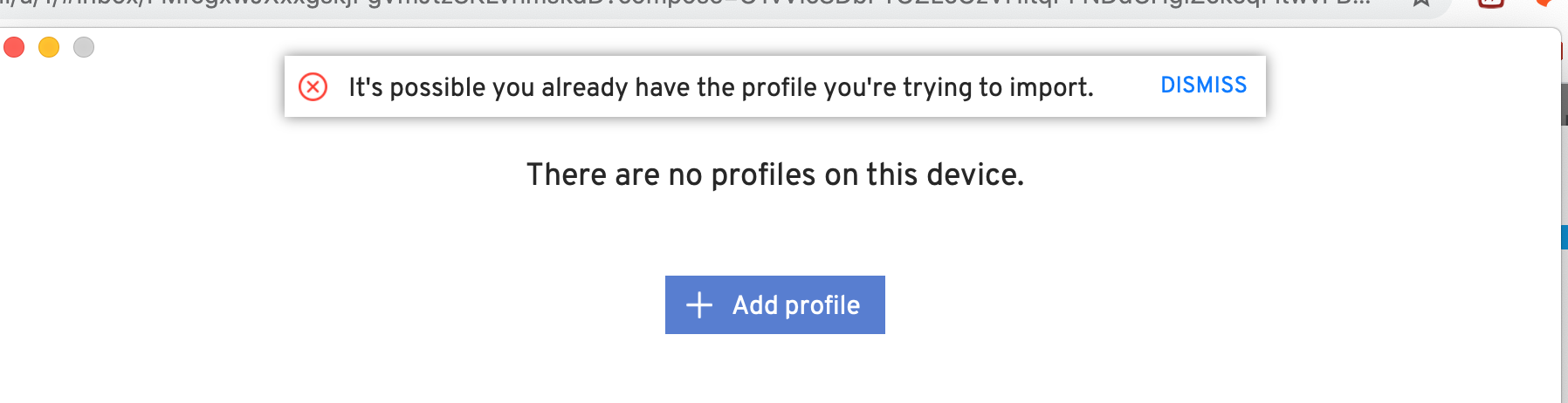
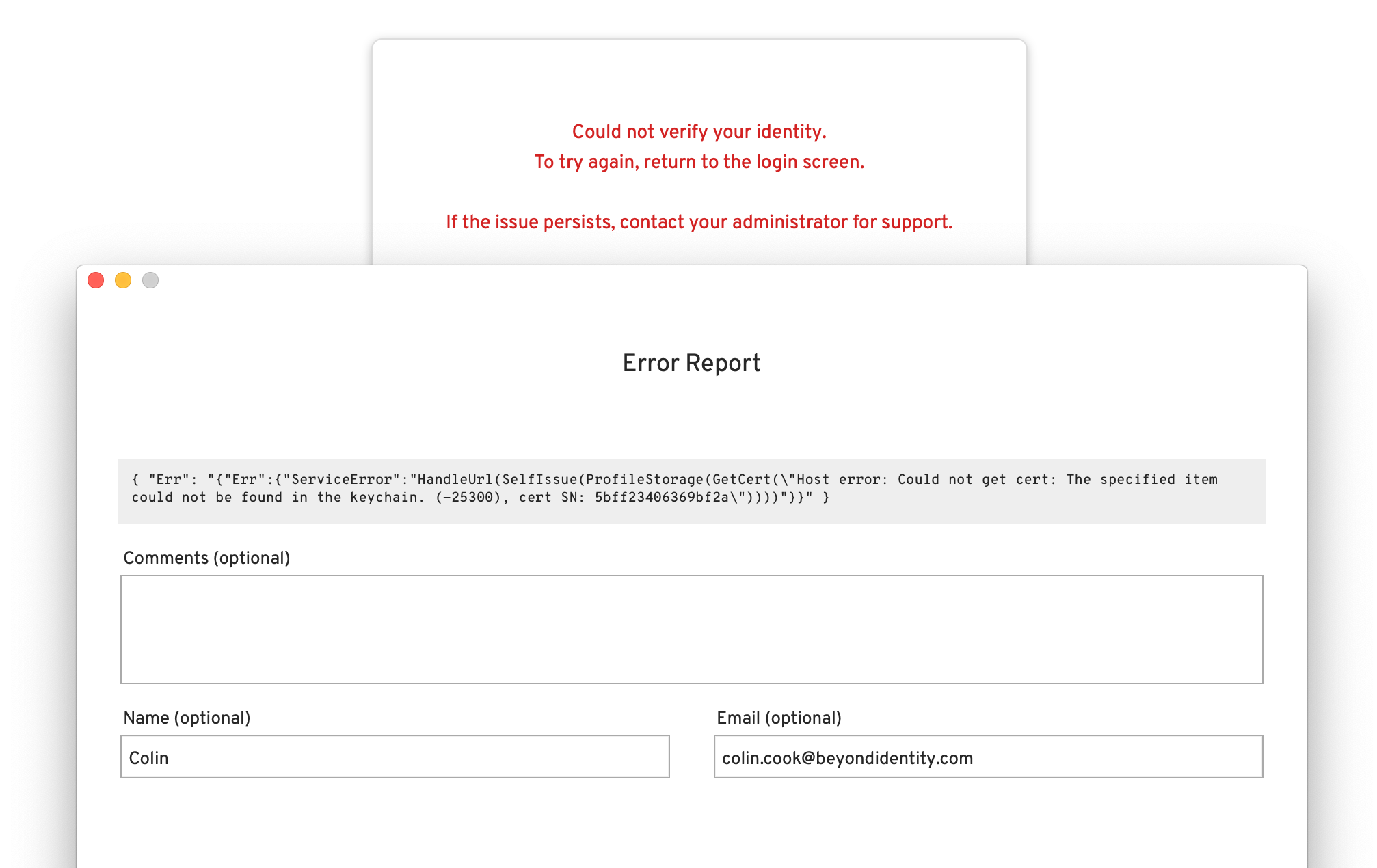
What happens is the local database that the Beyond Identity Authenticator uses may have become corrupted and contains false information which causes the authenticator to behave differently. The following directions below will guide how to correct this issue.
Solution
To resolve these issues and regain access you will need to close the Beyond Identity Authenticator and the following steps need to be taken:
First, generate a local log file that can be provided to a Beyond Identity support engineer.
This can be done so by clicking the Beyond Identity icon, selecting Help, and then Generate logs.
Once the logs have been generated a Finder window will appear, compress the logs and provide those to Beyond Identity support.
Now we need to completely close the Beyond Identity authenticator.
In the same location where we generated logs, click Quit Beyond Identity completely.
Click Quit on the prompt that asks you if you are sure you want to close the app.
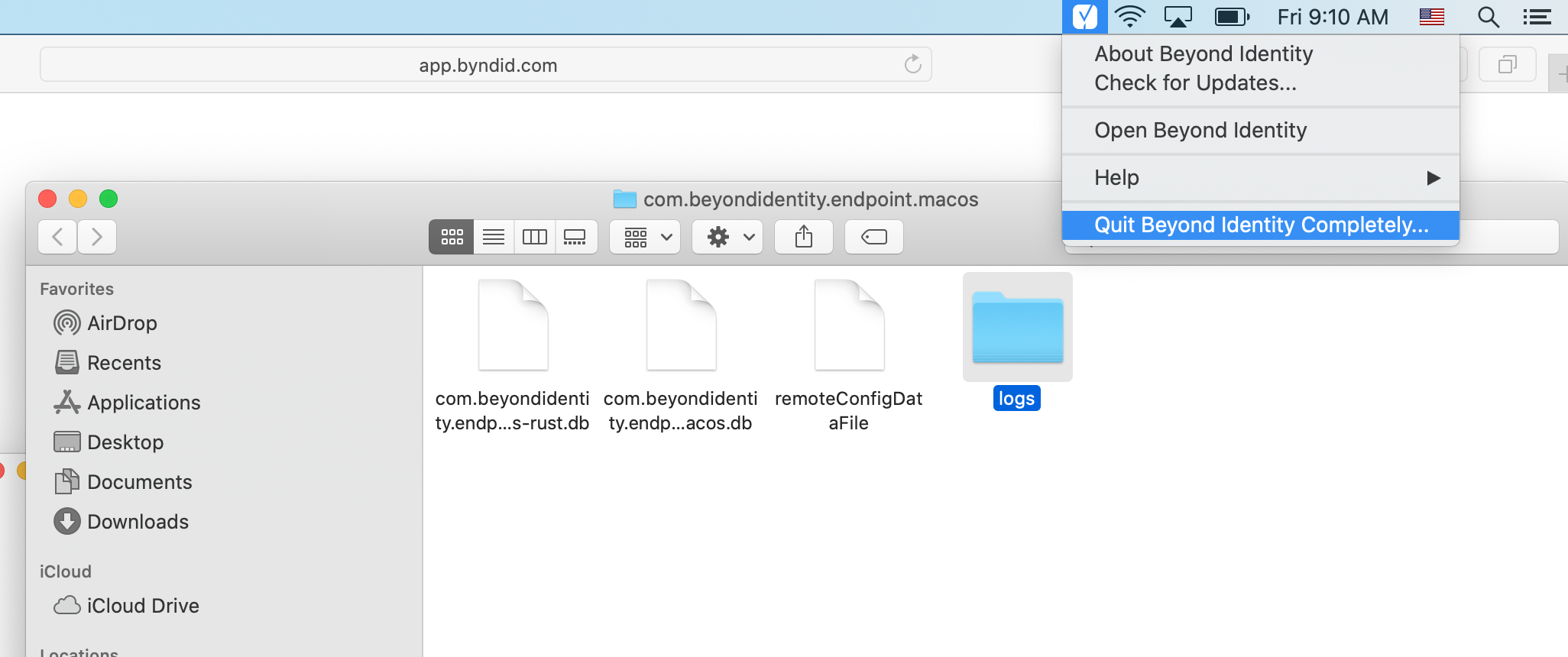
In the finder window where the log files were produced, delete all three of the files located in the com.beyondidentity.endpoint.macos folder.
These files are: com. beyondidentity.endpoint.macos.db, com.beyondidentity.endpoint.macos-rust.db, and remoteConfigDatafile.
If you no longer have access to a device that is connected to your Beyond Identity passkey, your Administrator can resend an enrollment email to register again.
Need help? Contact support at support@beyondidentity.com.