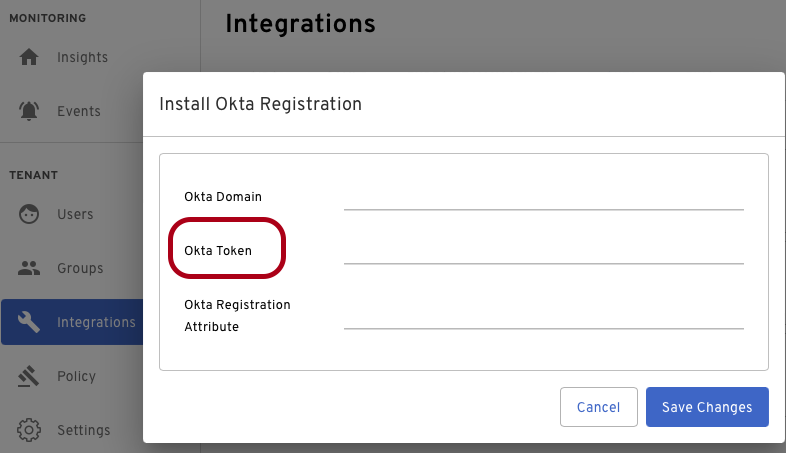
This article explains why the Beyond Identity–Okta integration may fail to update a user’s byndidRegistered attribute and how to fix it.
If the Beyond Identity integration with Okta doesn’t work, it manifests itself by the byndidRegistered status not being updated to the user who enrolls with the service.
Most typical scenarios
The API token has been created with a user who doesn't have enough permissions in Okta.
The API token has expired
The API token has been mistyped, copied with some extra spaces, or not copied fully
Solution
Refresh your API token and ensure that it is created with a user that has enough permissions to update users' profiles. We recommend using a Super Admin for this.
Step 1: Create a new API token in the Okta
Sign in to your Okta organization as a user with administrator privileges
In the Okta Admin Console, select API from the Security menu
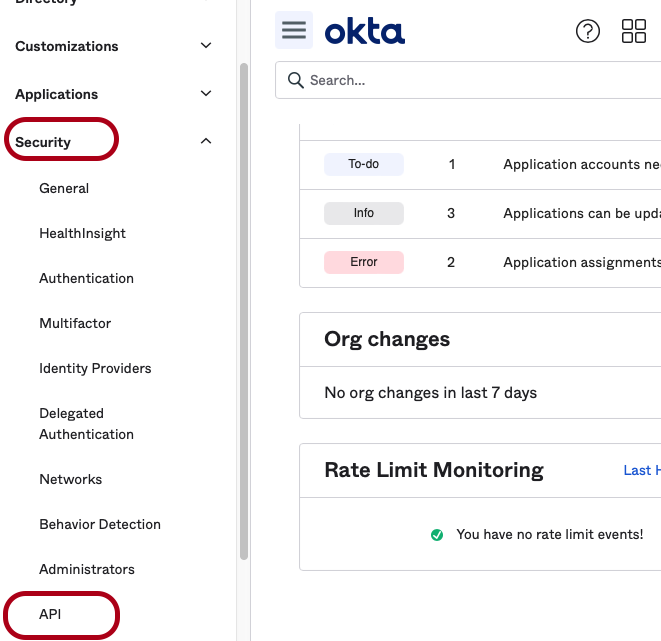
Then select the Tokens tab.
Click Create Token
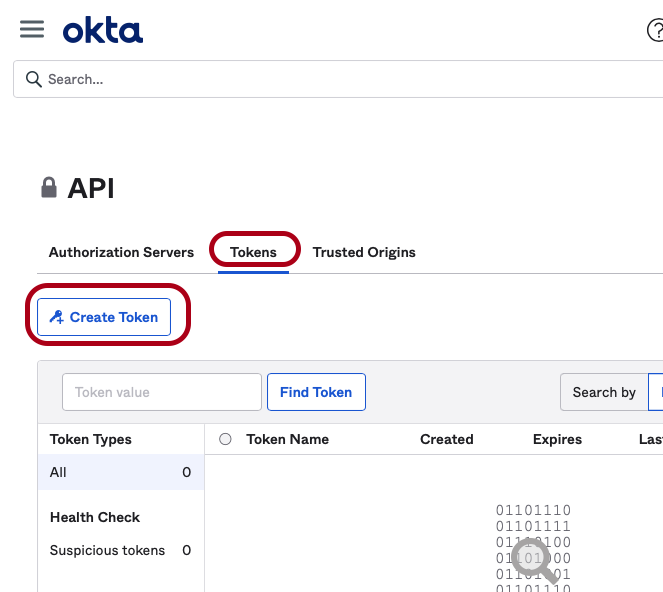
Enter a name for your token and click Create Token.
Document the Token value from the screen that appears
Step 2: Use the Documented a new API token in the Beyond Identity Admin Portal
Log in to your admin.byndid.com.
In the Beyond Identity Admin Portal, navigate to Integrations and select the OKTA tab
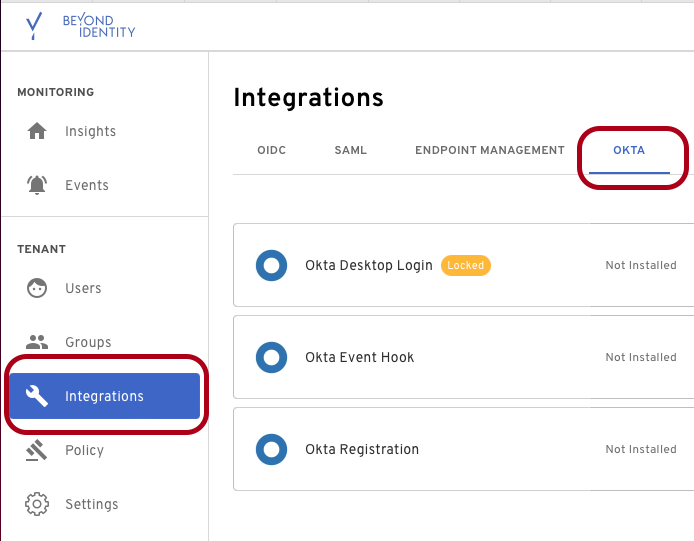
3. Then select Okta Registration and paste the token value you documented.